A preset bundles all three. Fields you leave empty fall back to the defaults.
| Layer | Decides | How you change it |
|---|---|---|
Theme |
Colours, sizes, text scale, and the shape of everything the engine draws — button panels, inputs, tabs, toggle artwork | Author a .tres, or generate one with tools/make_theme.py |
GoSkin |
The shape of everything code draws — the joystick, quick-slot faces, the coach-mark ring, chips, skeletons, dividers, section headings | Subclass it and override only the methods you care about |
GoIconSet |
Icons by name — 84 default drawings, or the medieval set's 16 engraved drawings over them. A texture pack or an icon font; the calling code is identical either way | Supply a set, or override just a few names |
StyleBoxFlat has —
set the radius to zero and you get a right angle; there is nothing in between. Diagonally cut corners,
a single thickened edge, an outer glow: the engine draws none of them. And the joystick and coach mark
are drawn in _draw(), where a theme cannot reach at all.
Picking one
GoUi.use_preset(GoThemePresets.SCIFI_DARK)That one line swaps theme, skin and icons. From the editor, use
Project Settings → Gohud → Theme → Preset; from a settings resource, GoConfig.preset.
Keeping one field your own
GoUi.use_preset(GoThemePresets.SCIFI_DARK)
GoUi.config.icons = my_icons     # your icons, the preset's everything else
Setting theme, skin or icons explicitly wins over the preset.
The fourteen built-in presets
| Preset | Panels | Skin · icons |
|---|---|---|
default_dark · default_light | Rounded StyleBoxFlat panels on a graded shadow scale; primary buttons lift and sink when pressed | GoSkin · 84 default icons |
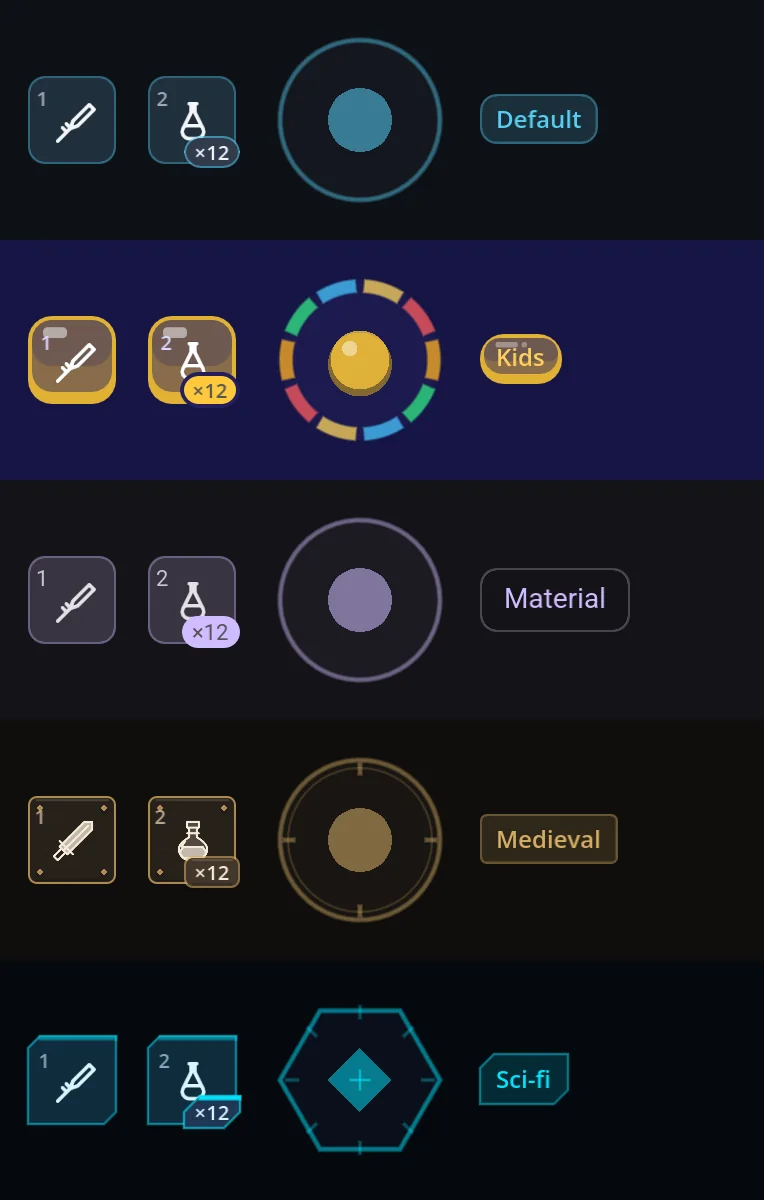
scifi_dark · scifi_light | Chamfered GoStyleBoxCut panels with a neon edge and glow; GoStyleBoxBracket focus marks | GoSkinSciFi — hexagonal joystick · default icons |
medieval_dark · medieval_light | Forged GoStyleBoxMedieval frames — iron and leather, or parchment — with rivets and corner ornaments on menus | GoSkinMedieval · 16 engraved icons over the defaults |
material_light · material_dark New | Material 3 Expressive for app screens — pill buttons with a 40dp plate in the 48dp touch target, 28dp dialogs, filled cards, outlined fields, the Expressive slider; the app components (navigation bar, app bar, FAB, search bar, chips, progress, date picker) follow the M3 component tokens | GoSkinMaterial · default icons |
kids_light · kids_dark New | For children — the toy box: chunky outlines and a solid lip under every key, which sinks when pressed; sunken text fields, bubble tabs, jelly bars; each kind of control in its own crayon colour, candy quick slots, sticker badges, a rainbow joystick and crayon charts. Sizes and the project's font stay as they are. | GoSkinKids · default icons |
arcade_light · arcade_dark New | An arcade cabinet drawn by GoStyleBoxArcade: every key painted with a top-to-bottom gradient, a white gloss and a lip that sinks when pressed, in a navy ink outline, its label white with an ink outline — green primary, blue keys, red danger, lavender small keys. Thick boards with a coloured frame round a pale well; a gold title banner and a round red close key on windows. | GoSkinArcade · default icons |
comic_light · comic_dark New | Comic-book panels drawn by GoStyleBoxComic: a bold ink outline and a hard shadow on every face, which goes when the face is pressed; inked toggles, check boxes and slider handles, a yellow title caption on windows. The outline width, the shadow size and whether shadows show at all are GoConfig settings. | GoSkinComic · default icons |
All fourteen, side by side
The same gallery screen with only the preset name changed — not a line of widget code differs. Each one is a phone held upright, 390×844.
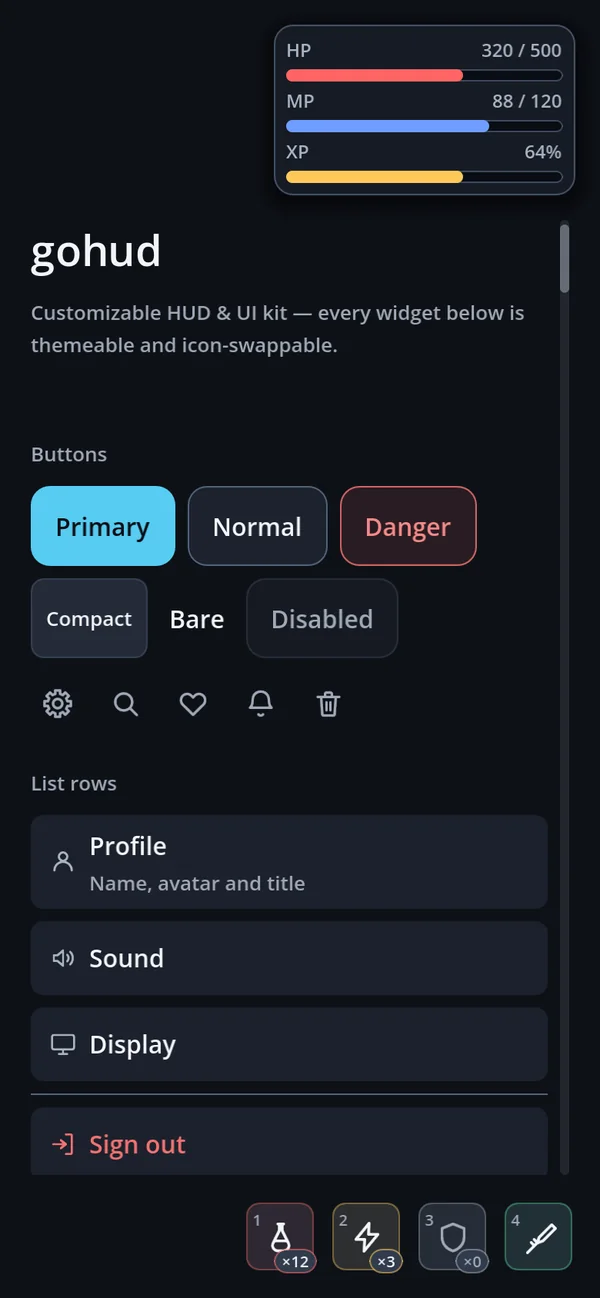
default_dark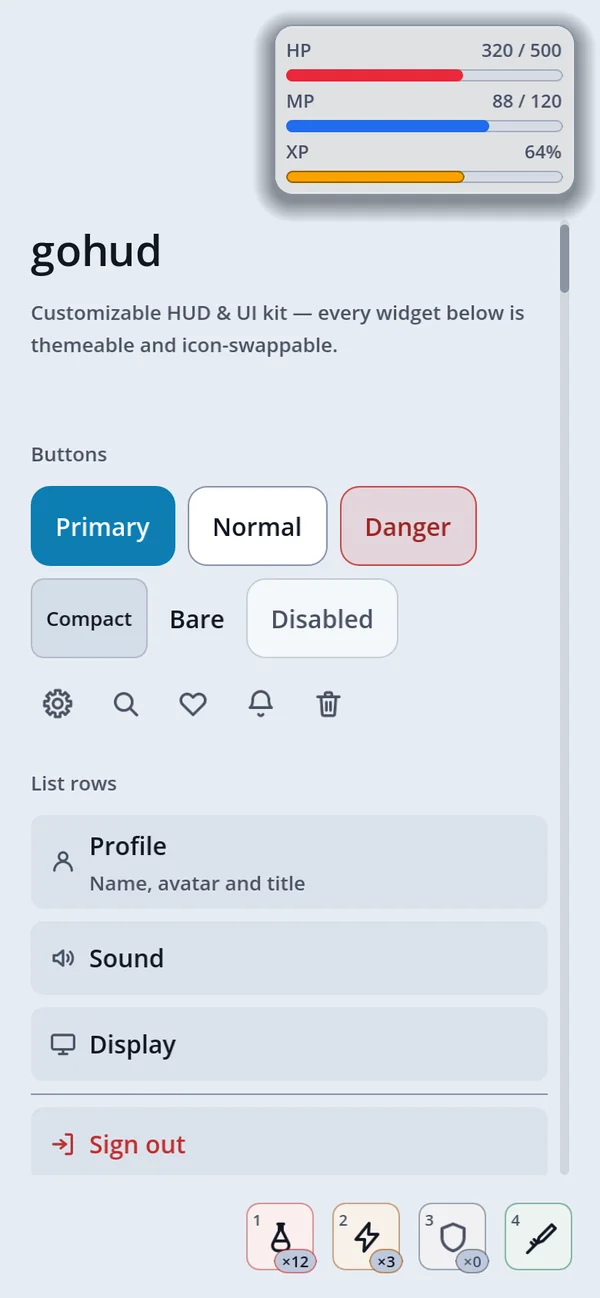
default_light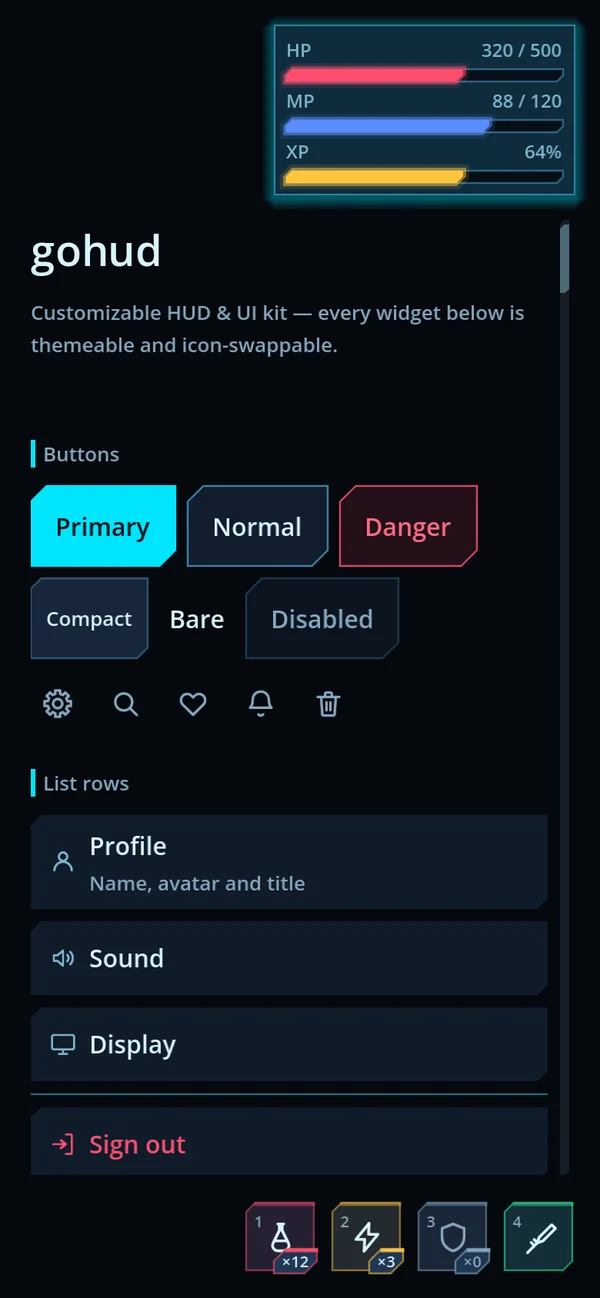
scifi_dark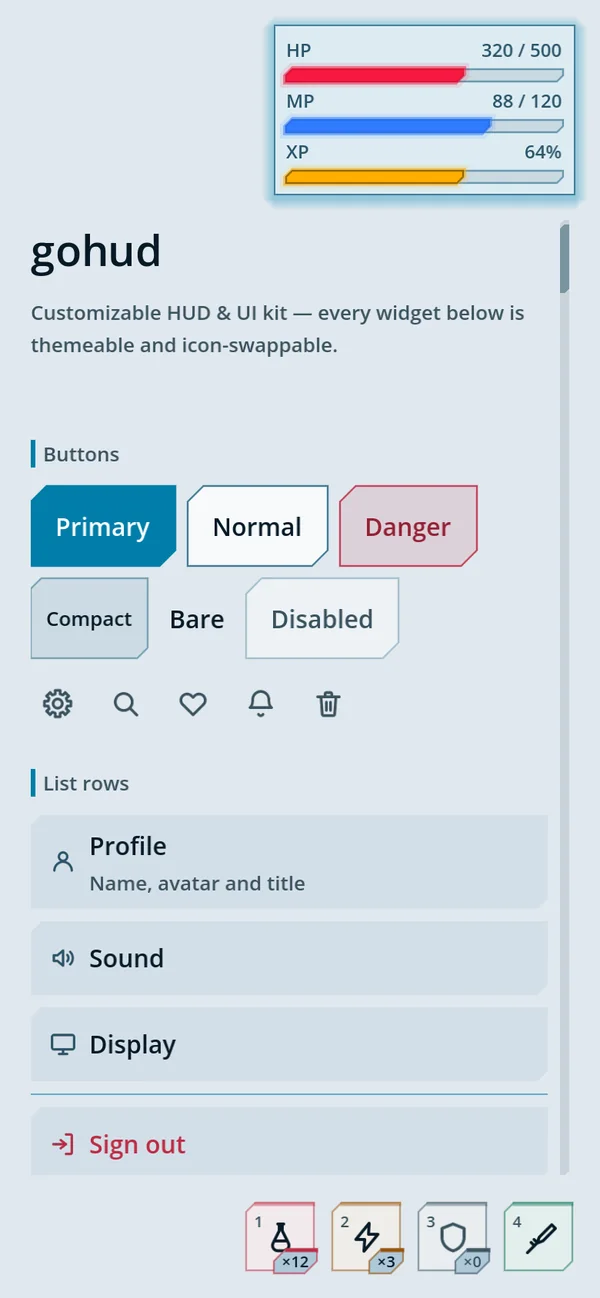
scifi_light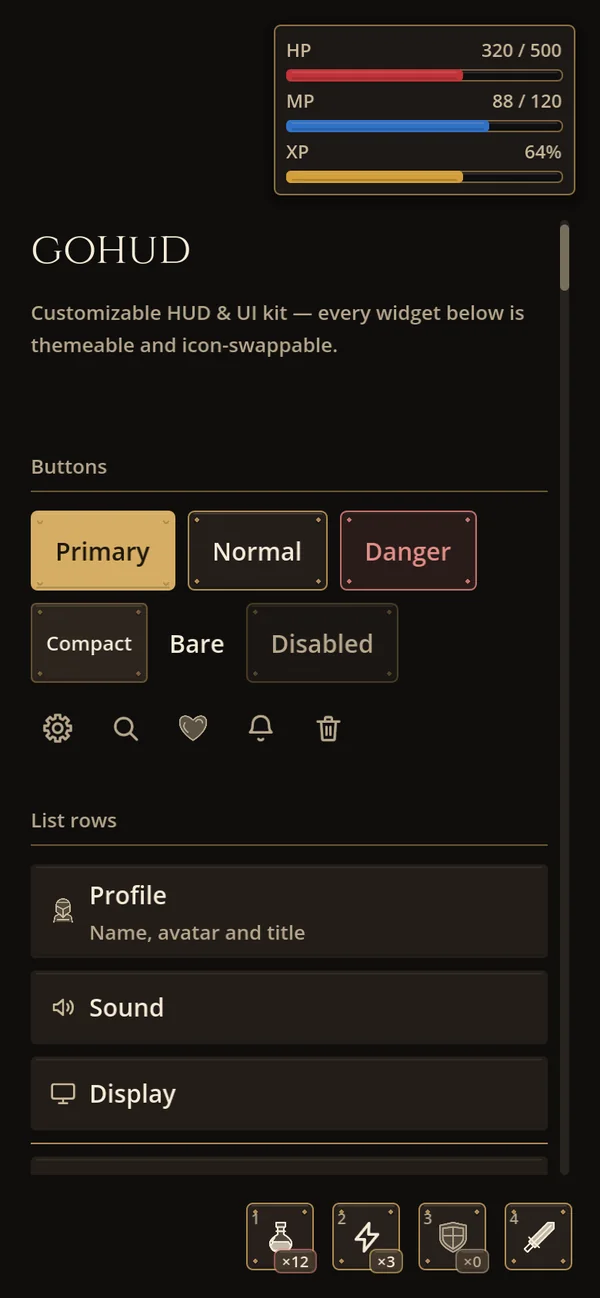
medieval_dark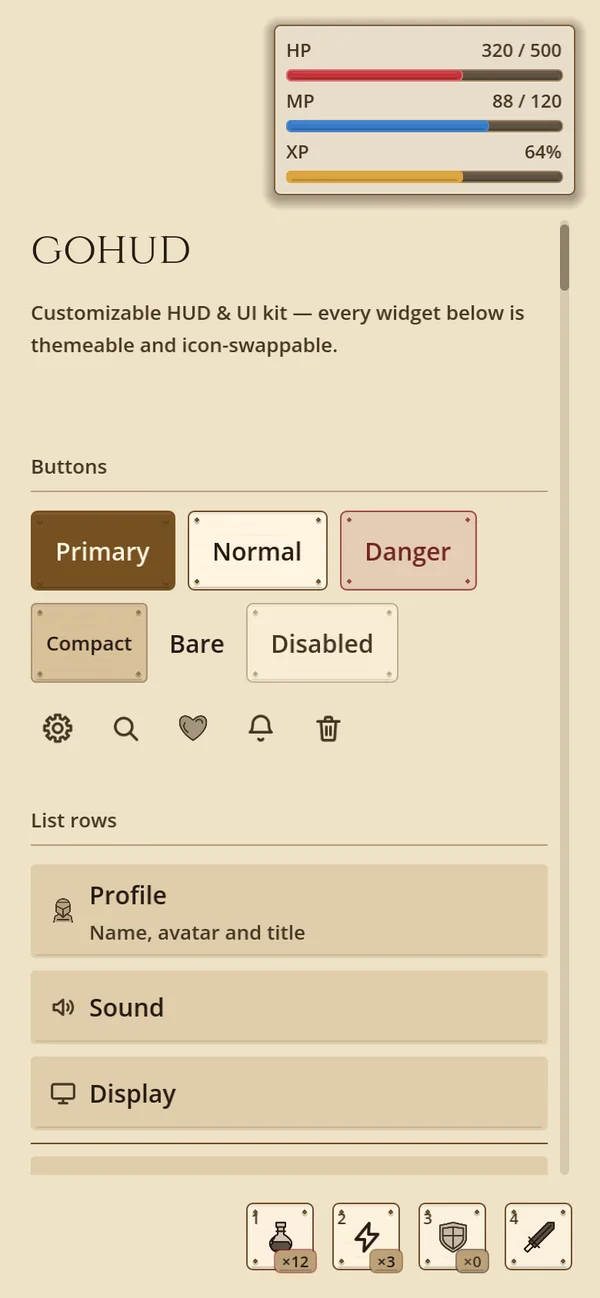
medieval_light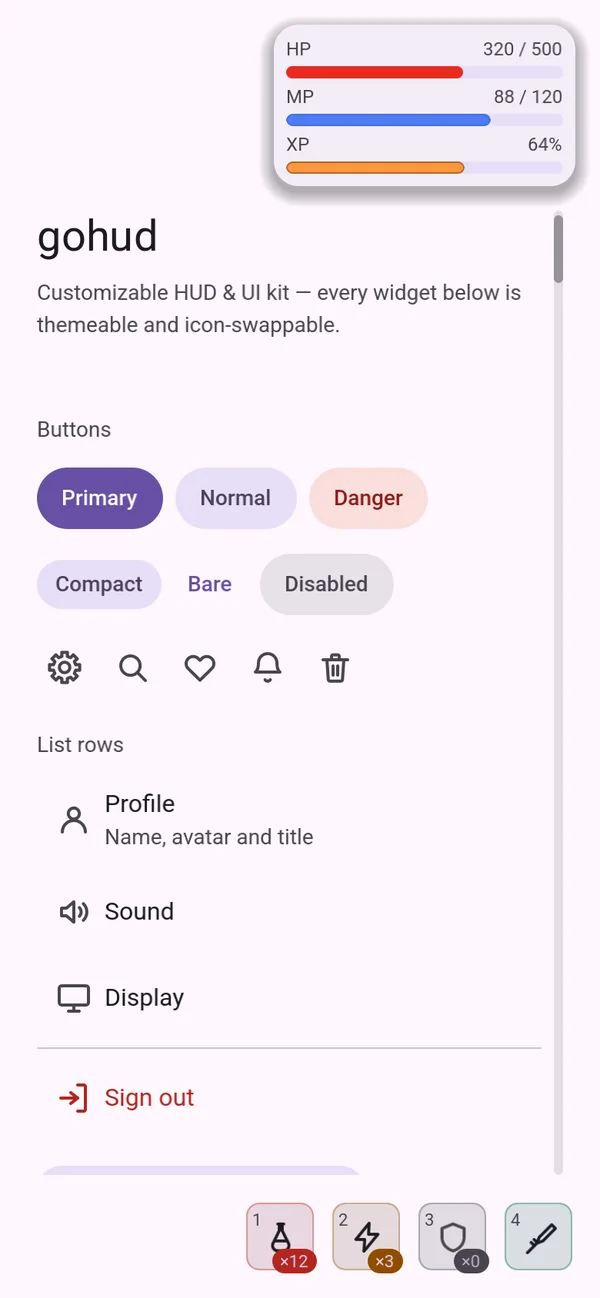
material_light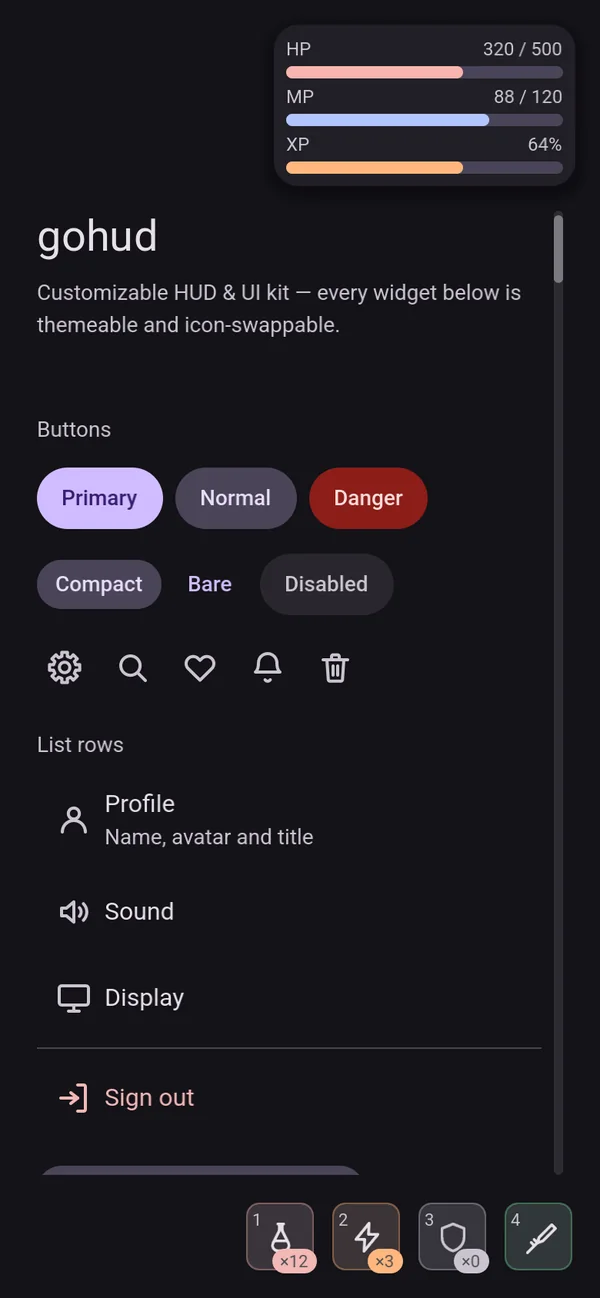
material_dark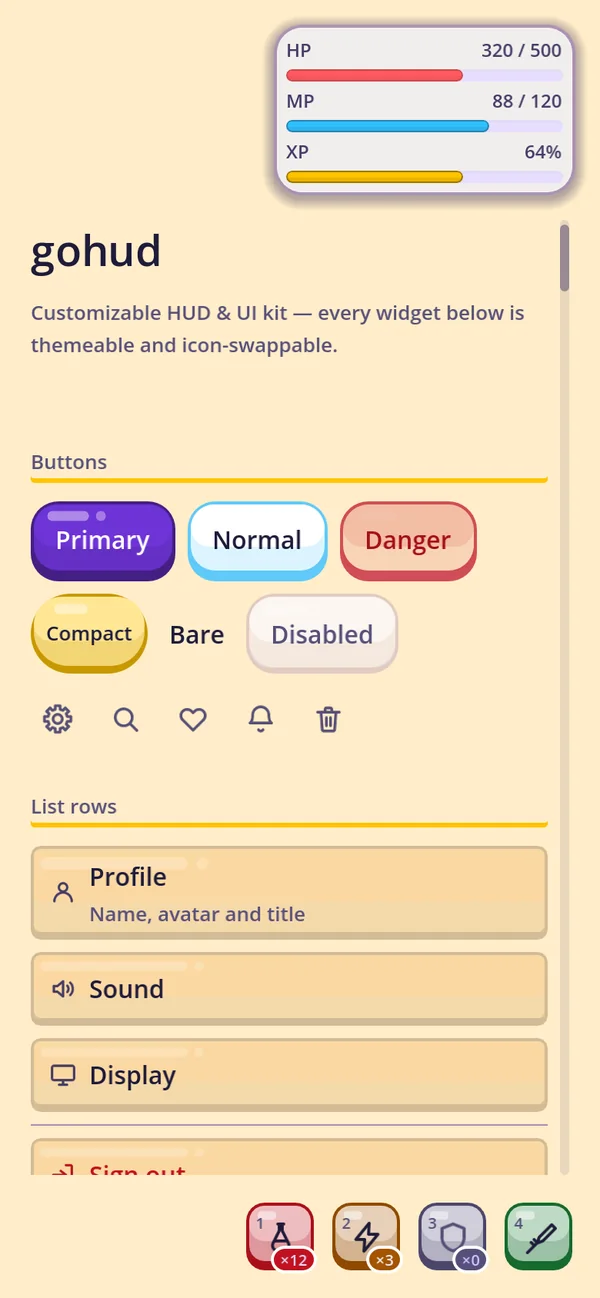
kids_light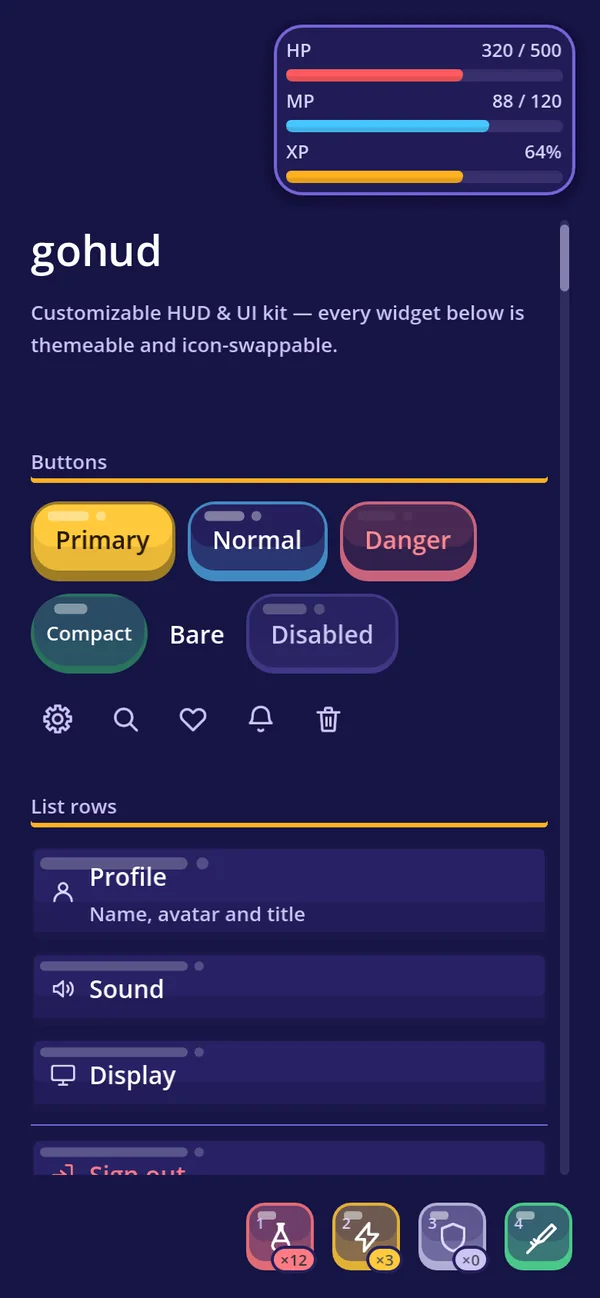
kids_dark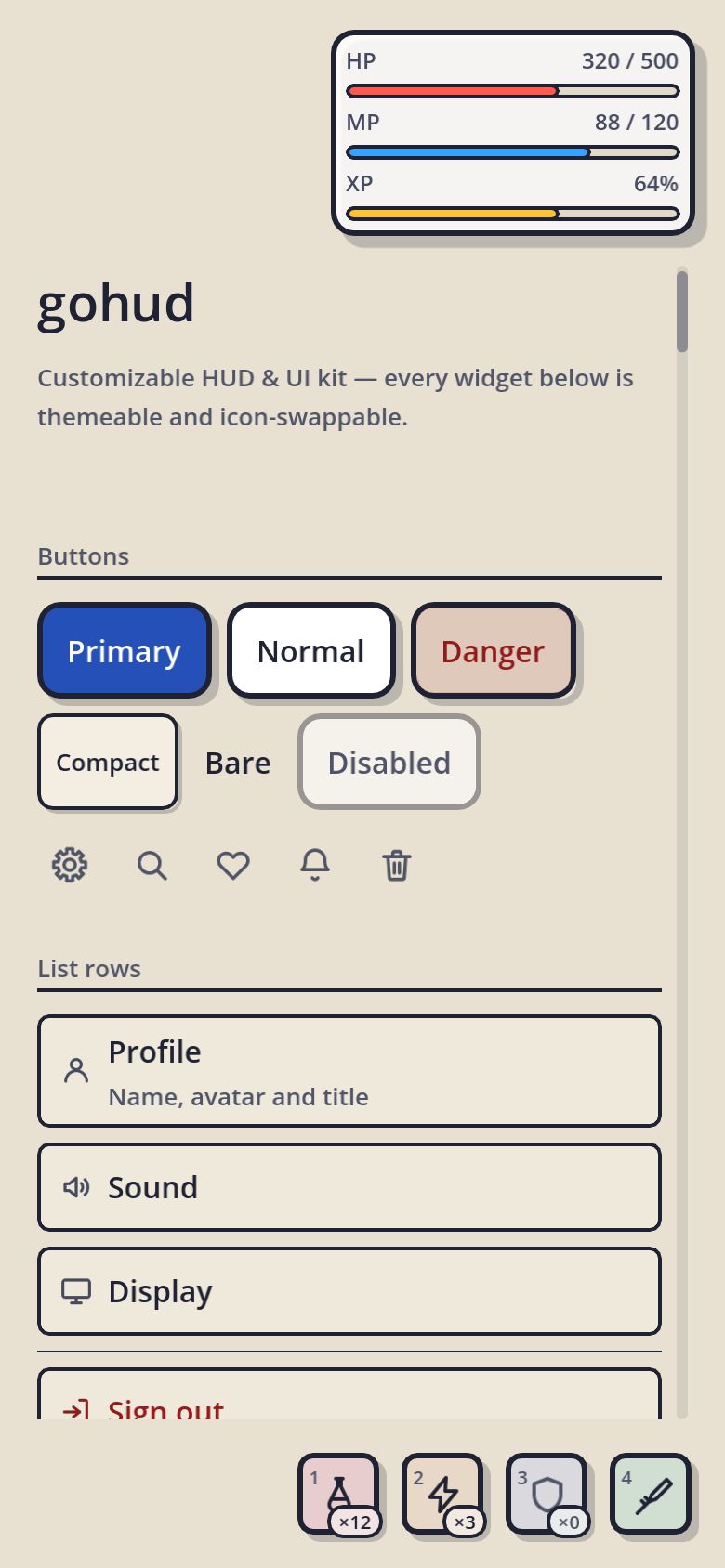
comic_light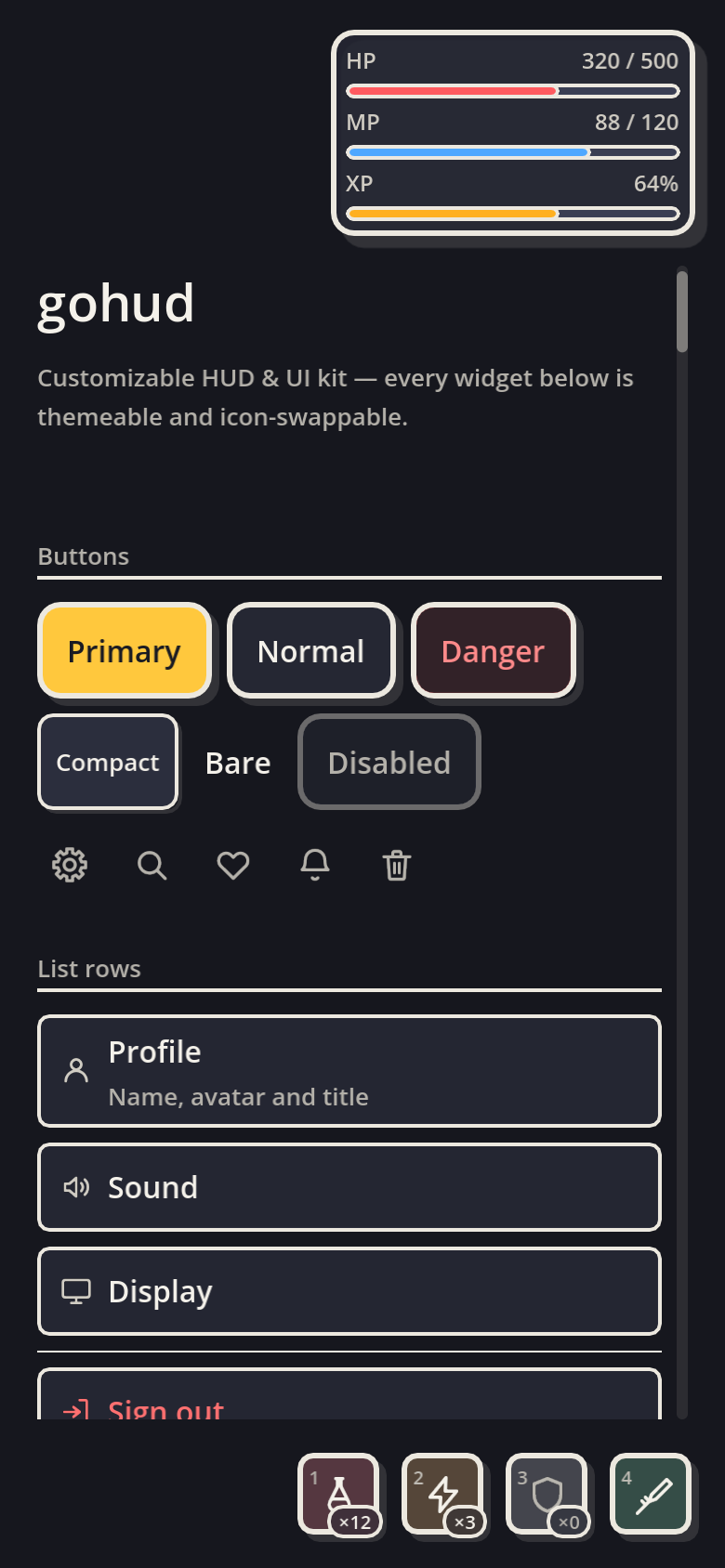
comic_dark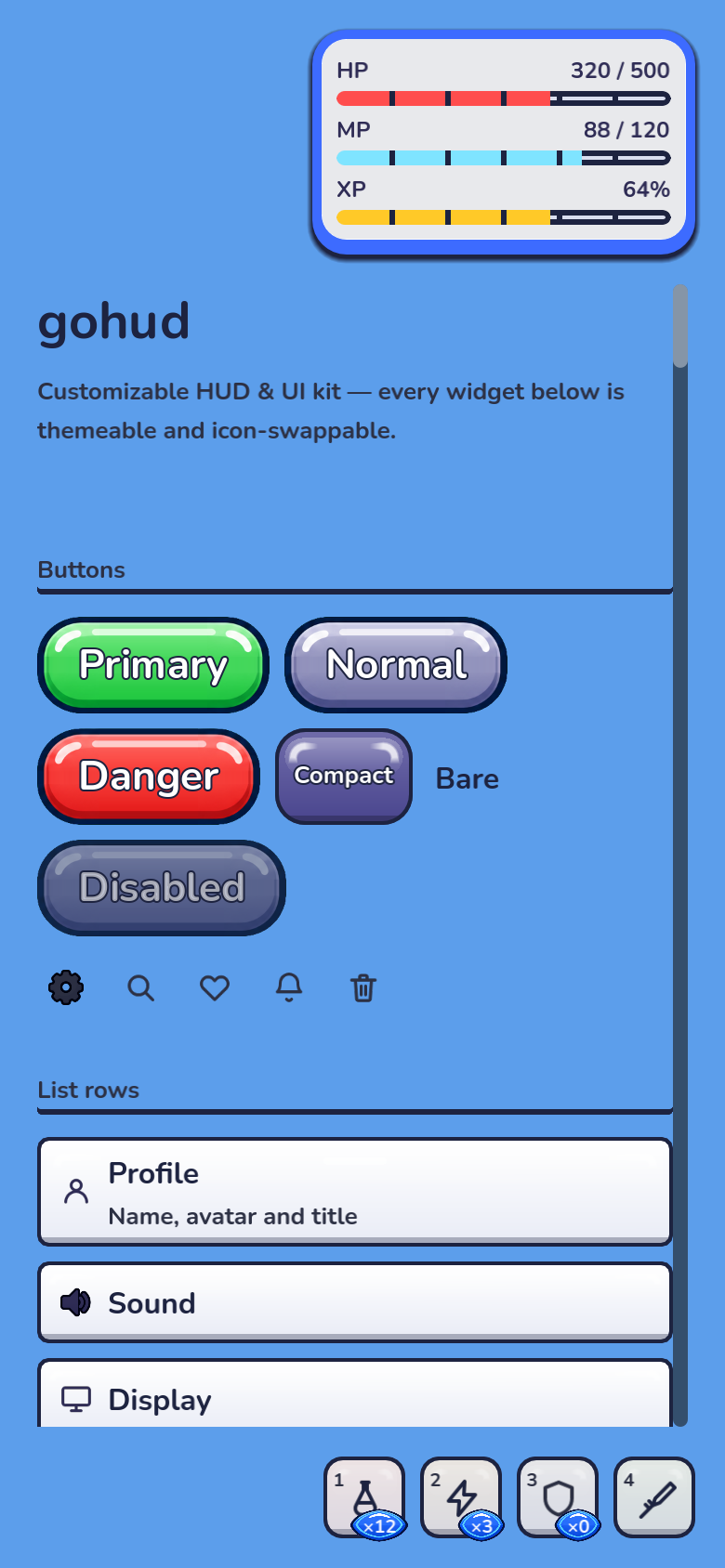
arcade_light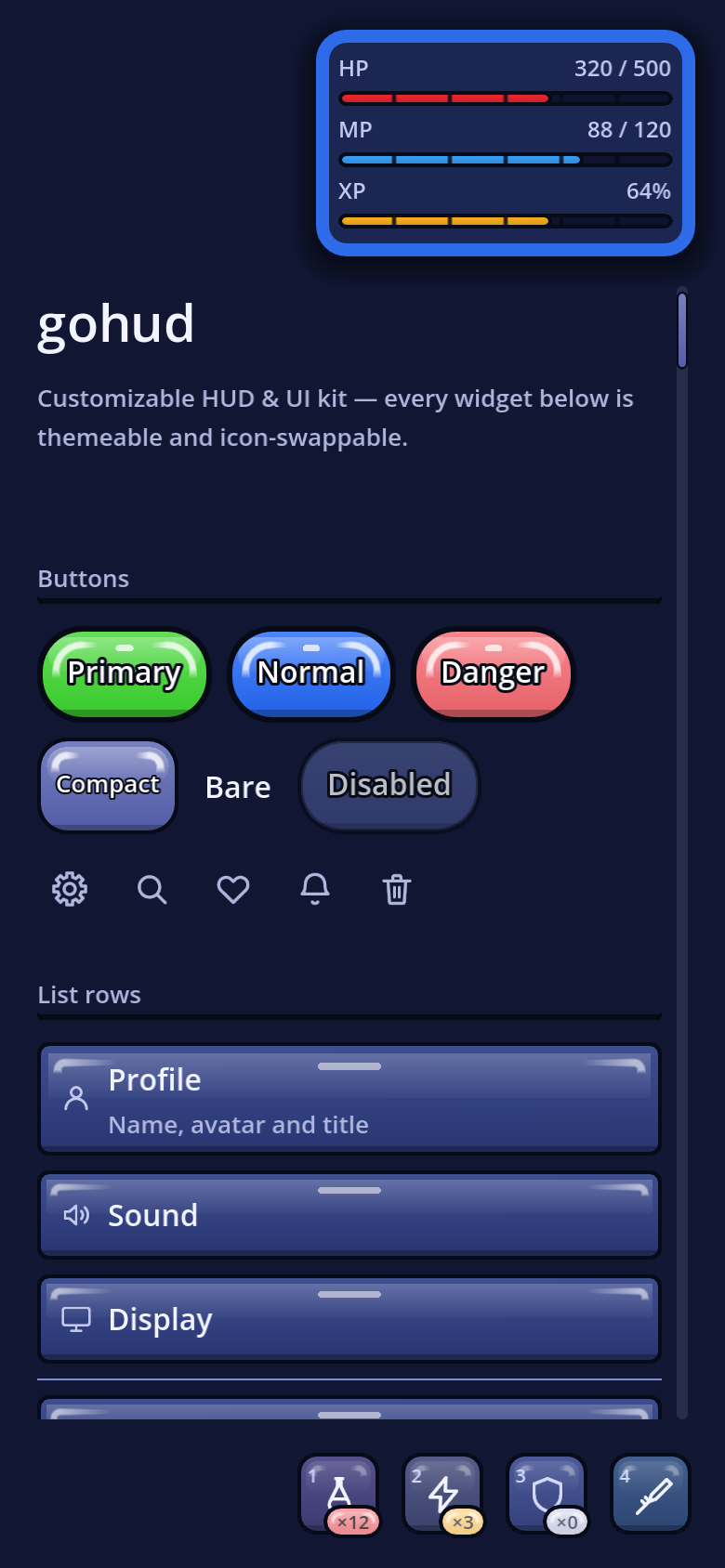
arcade_darkMedieval: iron, leather and parchment
medieval_dark pairs dark iron and leather with antique gold. medieval_light
uses parchment and ink. Both use GoSkinMedieval, the existing widgets, and 16 original
icons with engraving details; navigation icons fall back to the original set.
GoUi.use_preset(GoThemePresets.MEDIEVAL_DARK)
# Or: GoUi.use_preset(GoThemePresets.MEDIEVAL_LIGHT)
Choose the preset before creating your UI. Explicit GoConfig.theme,
skin or icons overrides still take precedence. Open
res://addons/gohud/examples/medieval/medieval.tscn and press F6 for a working
character sheet, satchel and quest journal. Its buttons switch variants and open item details.
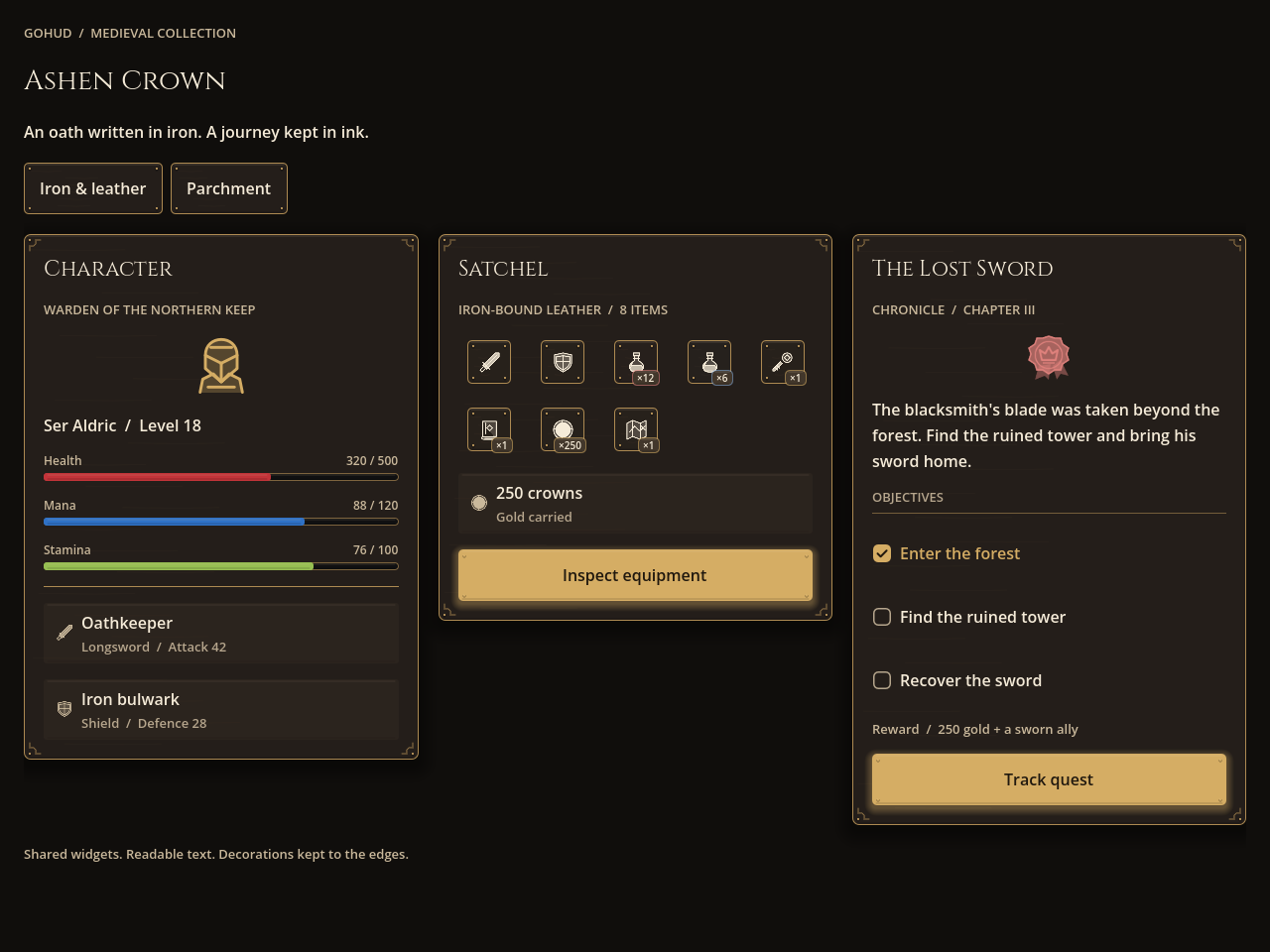
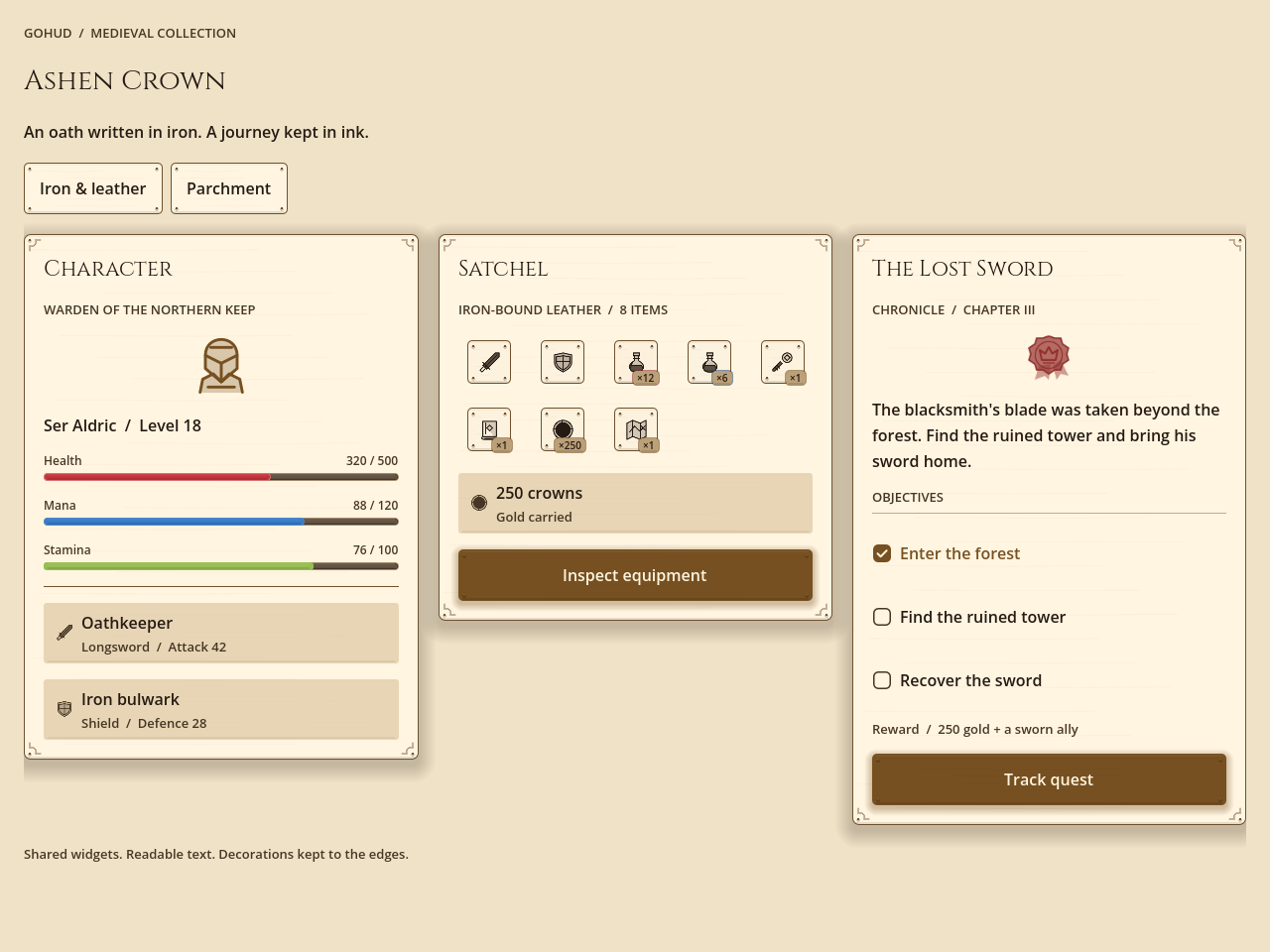
Menu frames have a rivet and small corner ornament; the always-visible HUD keeps a quiet edge.
HP, mana and stamina use red, blue and olive fills. Cinzel is scoped to titles and subtitles;
body text keeps the host/default font. The bundled font includes its license at
assets/fonts/cinzel/OFL.txt.
The engraved set redraws bag, book, box, coin, crown,
flag, heart, key, map, potion, shield,
star, sword and user, and adds scroll and seal.
Every other name falls back to the default set, so close and settings keep their default
drawings in every preset. Cinzel covers Latin script; give localized headings a font of their own through
shape.fonts.
DPITexture; a real quick slot uses the skin; changing a copied skin's dials reaches
the slot without touching the preset; and switching back restores the default and sci-fi geometry.
Make a kingdom of your own
python3 addons/gohud/tools/new_theme.py kingdom --from medieval_dark
# Edit themes/palettes/kingdom.json, then:
python3 addons/gohud/tools/make_theme.py kingdom
godot --headless --path . --import
# In GDScript, before creating the widgets:
GoUi.use_preset(&"kingdom")
JSON themes can inherit other JSON themes. Omitted values keep their parent's settings; circular inheritance is rejected. The generated preset keeps its parent's icon set.
| Setting | Effect |
|---|---|
shape.material | 0: iron · 1: leather · 2: parchment. Controls the surface marks. |
shape.grain_alpha | Texture opacity. Use 0 for a clean surface. |
shape.ornament_scale · shape.bevel_strength | Menu corner ornament size and bevel highlight intensity. |
shape.fonts | Map title, subtitle, caption, body and button roles to addon-local res:// font files. Omitted roles keep their inherited font. |
skin.dials | Quick-slot radius, rivet visibility, grain and highlight. The full table below lists each dial. |
Material 3: a look for app screens New
material_light and material_dark bring Material 3 Expressive to gohud — the shapes, sizes and
type of the M3 components, with every number read from the official M3 token set (material-web,
tokens/versions/latest). Reach for them where a screen should feel like an app rather than a game menu:
shops, inboxes, account and settings pages, leaderboards, a companion app.
GoUi.use_preset(GoThemePresets.MATERIAL_LIGHT)
# Or: GoUi.use_preset(GoThemePresets.MATERIAL_DARK)material_lightmaterial_dark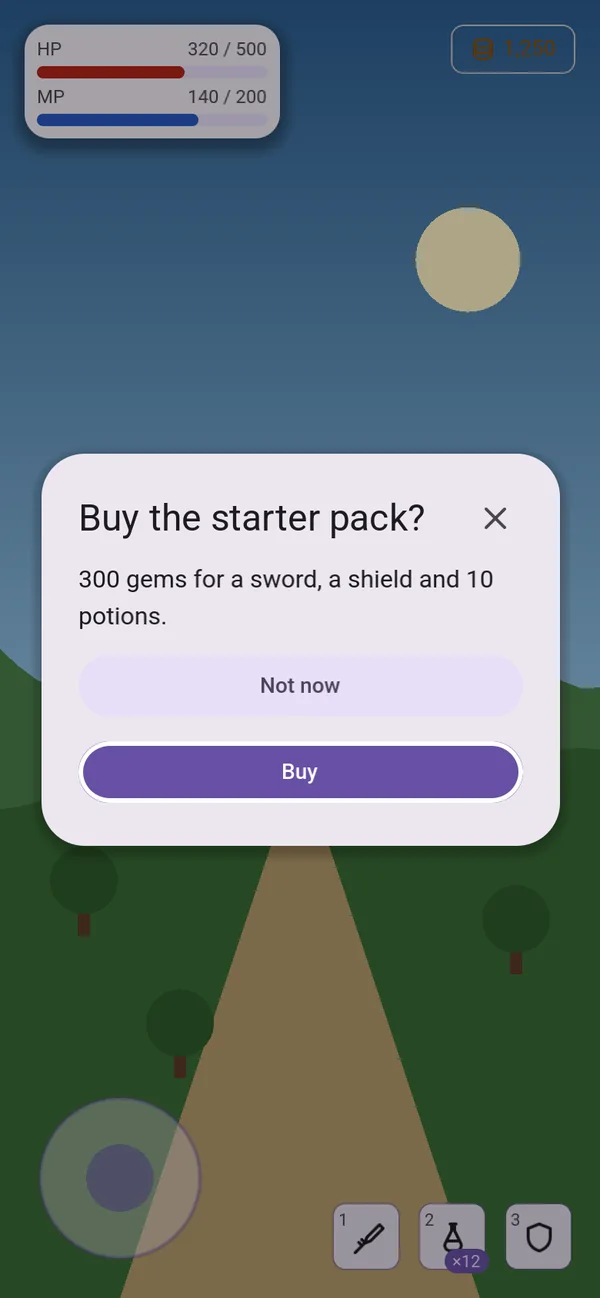
GoDialogs · material_light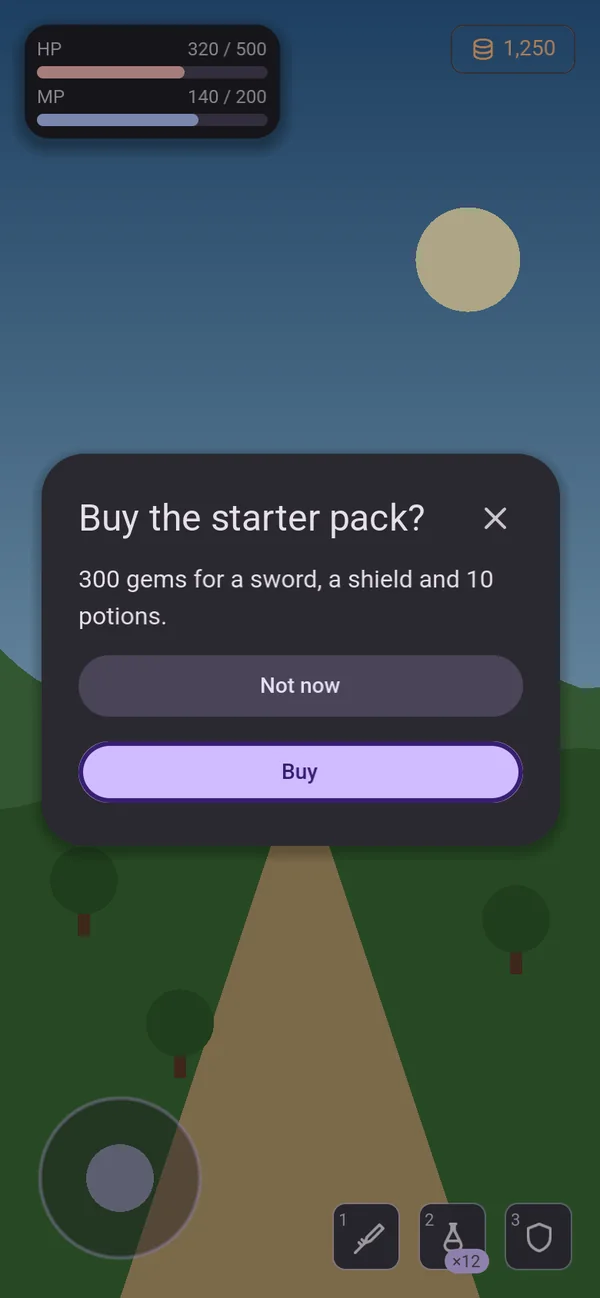
GoDialogs · material_darkWhat changes
| Part | In Material 3 |
|---|---|
| Buttons | Pills (the full corner). The plate is 40dp tall, centred in the 48dp touch target, so the press area does not shrink; a compact button's plate is 32dp. Labels use Roboto at weight 500. |
| Dialogs and sheets | 28dp corners (extra-large), 24dp padding and a 24sp headline — GoDialogs, GoSurface, GoSheet and every popup built on them. |
| Cards | Filled cards with 12dp corners and 16dp padding. |
| Fields and sliders | Outlined text fields; the Expressive slider with its tall handle. |
| Chips and segments | 8dp corners (small). |
| App components | GoNavBar, GoAppBar, GoFab, GoSearchBar, the chips, GoProgress and GoDatePicker follow the M3 component tokens. |
| Type | The bundled Roboto for titles, subtitles, captions and buttons. Body text keeps your project's font, so Korean, Japanese, Chinese or Arabic still draw. |
| Opacity | Every panel is opaque — M3 surfaces are solid. (Default, sci-fi and medieval panels are 80% opaque, so the game shows through.) |
| Skin | GoSkinMaterial: the drawer is the M3 modal side sheet, the console face is the M3 floating toolbar, banners sit on surface_container_low. |
tools/check_contrast.py measures both looks like every other.
Roboto is under the SIL Open Font License 1.1 (assets/fonts/roboto/OFL.txt) and is used by the Material
presets only.
Kids: the toy box New
kids_light (cream and peach with a grape primary) and kids_dark (blueberry ground, sunny-yellow
primary, mint pills) are a look made for children's games and learning apps — chunky, bright and squishy, the
kind of thing a small finger wants to press.
GoUi.use_preset(&"kids_light")
# Or: GoUi.use_preset(&"kids_dark")kids_lightkids_dark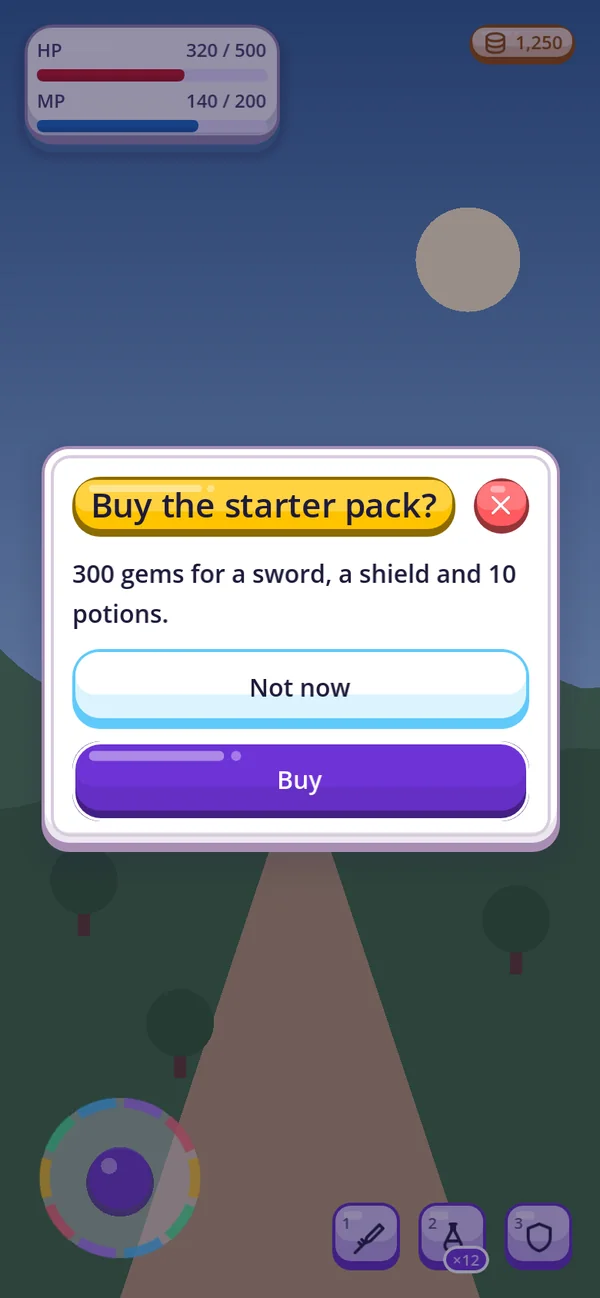
GoDialogs · kids_light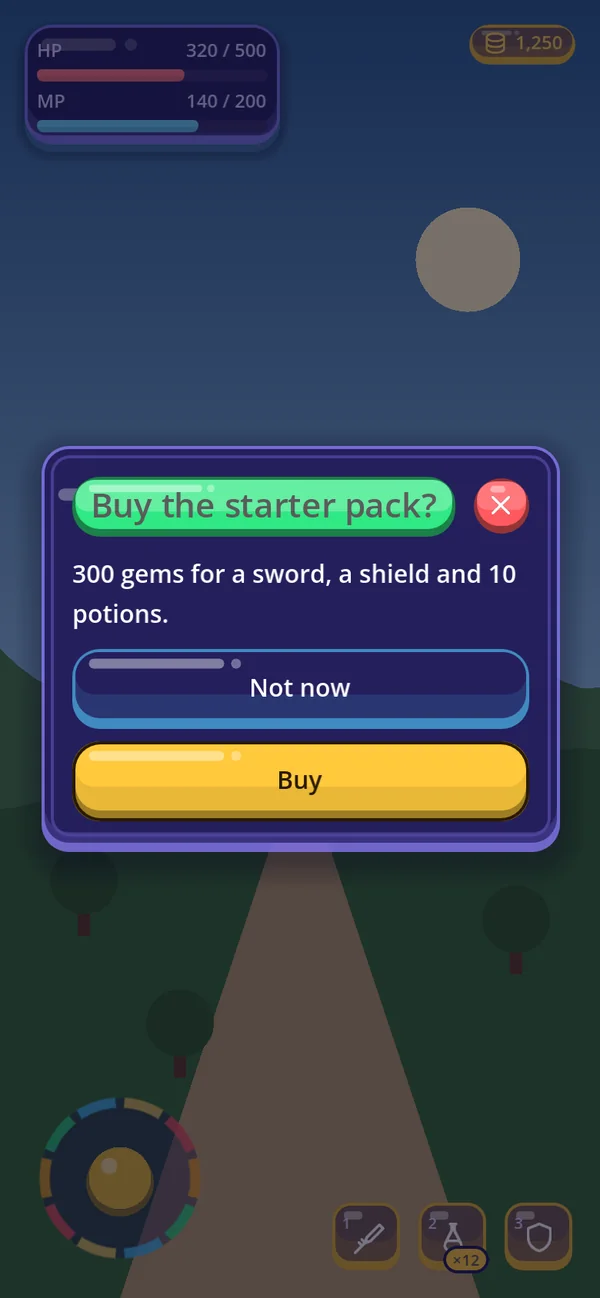
GoDialogs · kids_darkWhat changes
| Part | In the kids looks |
|---|---|
| Every face | A jelly candy, drawn by GoStyleBoxJelly: a chunky outline, a solid lip under everything you press, a body lighter on top and deeper below, and a white shine at the top left. Keys, list rows, folding titles, fields, bars, sliders and panels all wear it. |
| Pressing | The lip goes and the face sinks into its place, then a jelly squish — wide and flat for a moment, then an elastic spring back. It runs on every button gohud makes; reduce_motion turns it off. |
| Fields, tabs, bars | A text field is the same jelly turned in — a sunken well. Tabs are bubbles, bars have a jelly shine. |
| Colour | Each kind of control in its own crayon colour, chosen by the same generator as every look, so every contrast gate still holds. |
| Windows | A sunny ribbon (mint at night) behind a window's title — the title shrinks, down to 15, to stay on one line — and a round candy close button in the danger crayon with a white cross. |
| Skin parts | GoSkinKids: quick slots are candy blocks that sink while cooling down, badges are stickers, chips and the navigation pill are small jellies, avatars are round candies, the joystick is a rainbow, charts use crayons, alerts and notices are sticker notes with a solid rim. |
| Opacity | Panels, cards, notices and popups are opaque. |
Make a toy box of your own
python3 addons/gohud/tools/new_theme.py candy --from kids_light
# Edit themes/palettes/candy.json, then:
python3 addons/gohud/tools/make_theme.py candy
GoUi.use_preset(&"candy")
Comic: bold ink New
comic_light (white panels on a paper-cream page, a cobalt primary) and comic_dark (slate panels on a
night page, cream outlines, a yellow primary) draw every face like a comic-book panel — a bold ink outline with a hard
shadow behind it.
GoUi.use_preset(&"comic_light")
# Or: GoUi.use_preset(&"comic_dark")comic_lightcomic_dark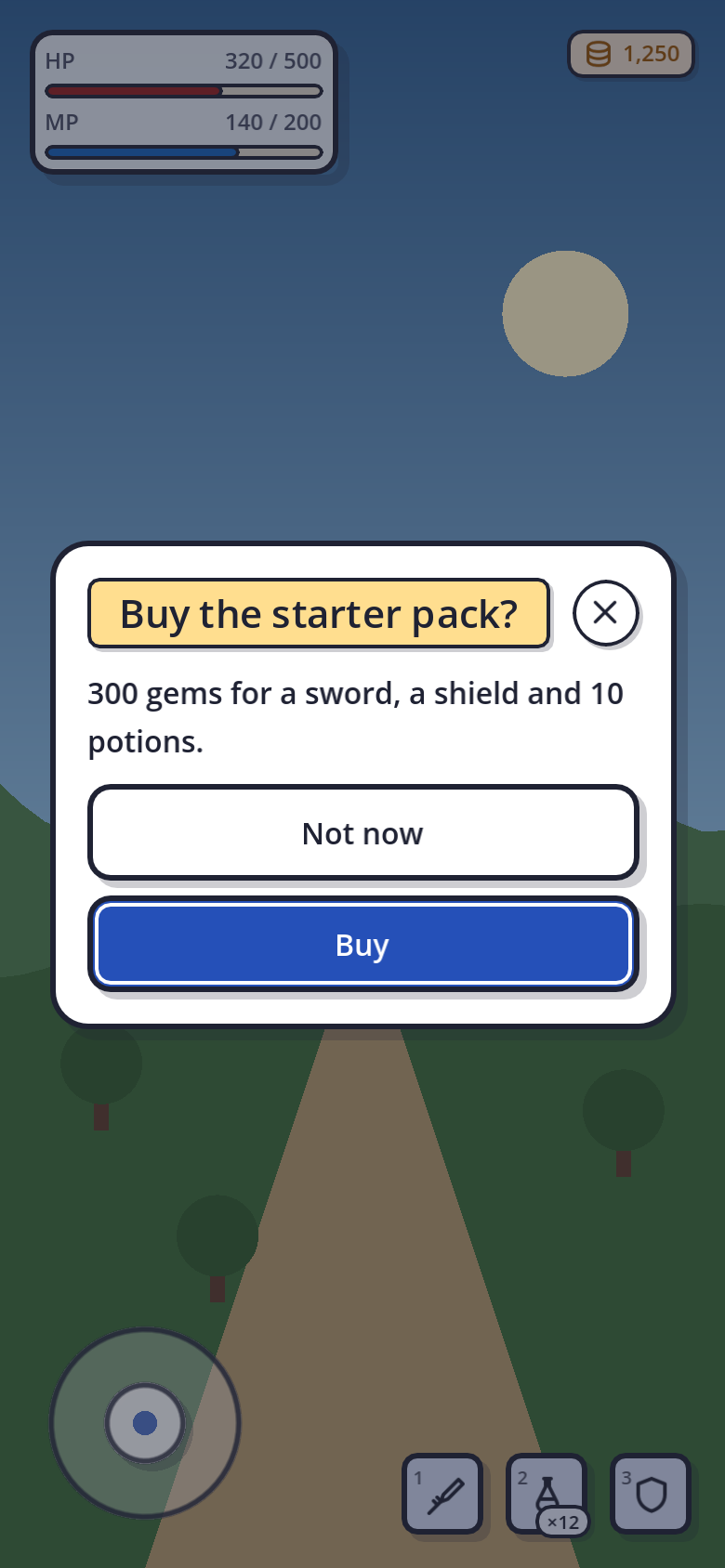
GoDialogs · comic_light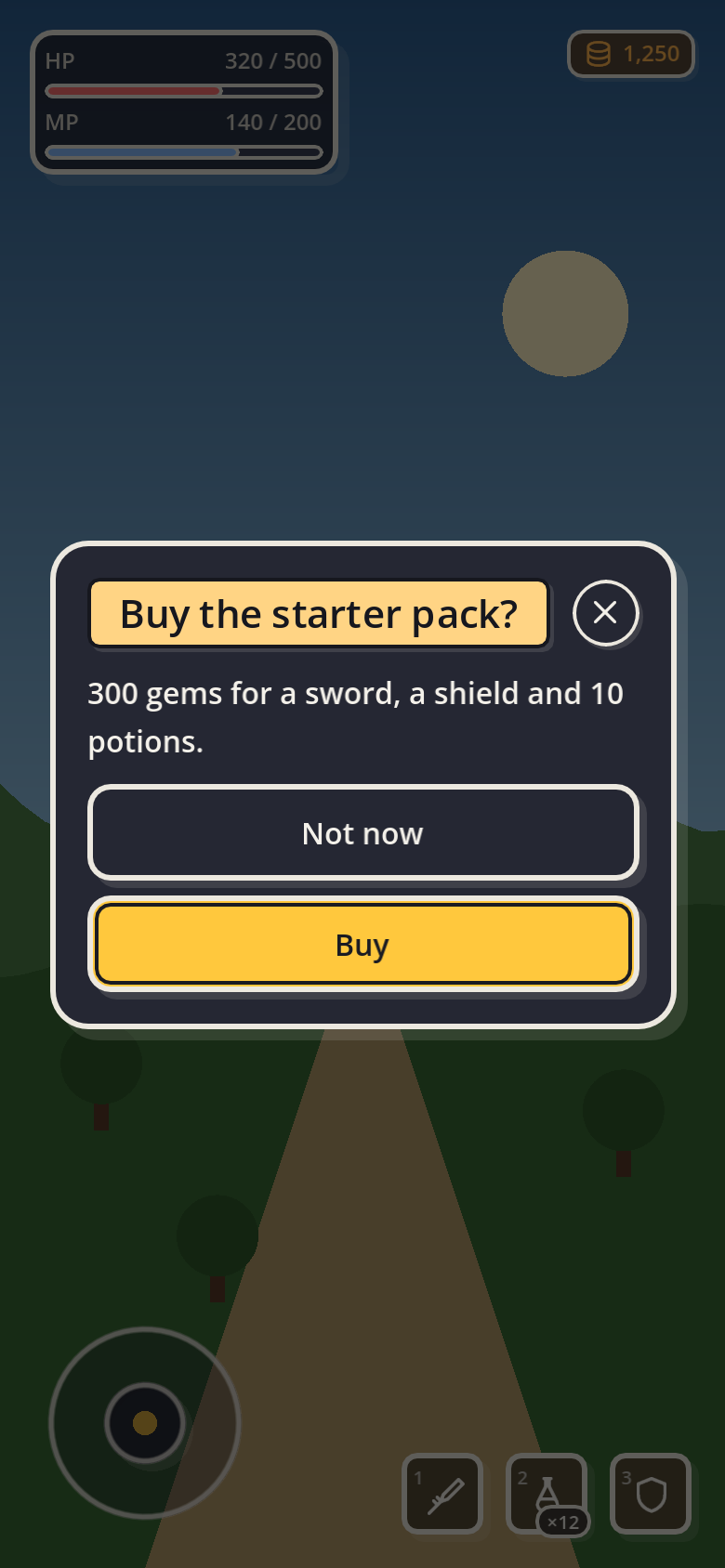
GoDialogs · comic_darkWhat changes
| Part | In the comic looks |
|---|---|
| Every face | Drawn by GoStyleBoxComic: the surface colour inside a bold outline in the ink colour, and a hard shadow down and to the right. Keys, list rows, fields, tabs, bars, sliders, panels and popups all wear it. |
| Pressing | The shadow goes and the face sinks into its place. |
| Controls | Toggles, check boxes, radio buttons and slider handles are inked too, each with its own small shadow. |
| Windows | A yellow caption behind a window's title and an inked round close button. |
| Skin parts | GoSkinComic: quick slots, chips, badges, avatars, notices, the navigation bar, the FAB and the date cells are inked; the joystick knob casts a shadow; charts use bold primaries. |
| Opacity | Panels, cards, notices and popups are opaque; HUD cards are 92% opaque. |
Ink and shadow settings
Three GoConfig settings change every comic face at once. Nothing is rebuilt — the screen redraws as you set them.
GoUi.config.comic_border_width = 2.0   # the outline (dp) — 3 by default
GoUi.config.comic_shadow_size = 6.0    # the shadow (dp) — 4 by default
GoUi.config.comic_shadow = false       # no shadows anywhere
One widget can go its own way, whatever the setting says:
GoStyle.comic_shadow(skip_button, false)     # this button sits flat
GoStyle.comic_shadow(card, true, true)       # this card and everything in it keep their shadow
GoStyle.comic_border(title, 5.0)             # a thicker outline on this one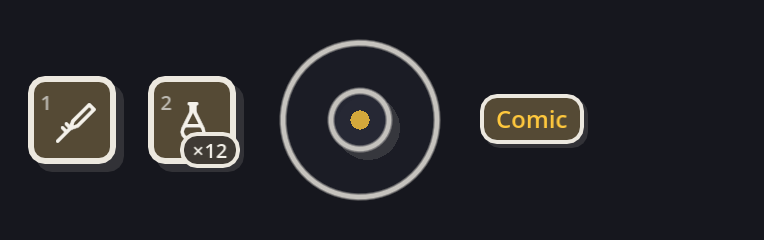
Make a comic of your own
python3 addons/gohud/tools/new_theme.py inked --from comic_light
# Edit themes/palettes/inked.json, then:
python3 addons/gohud/tools/make_theme.py inked
GoUi.use_preset(&"inked")
Arcade: painted keys and thick boards New
arcade_light (white boards on a sky-blue page) and arcade_dark (navy boards on a night page)
dress every screen like an arcade cabinet: every key is painted — a gradient from a light top to a deeper bottom,
a white gloss stroke and a lip that sinks when pressed, inside a navy ink outline — and every board is thick, a
coloured frame round a pale well.
GoUi.use_preset(&"arcade_light")
# Or: GoUi.use_preset(&"arcade_dark")arcade_lightarcade_dark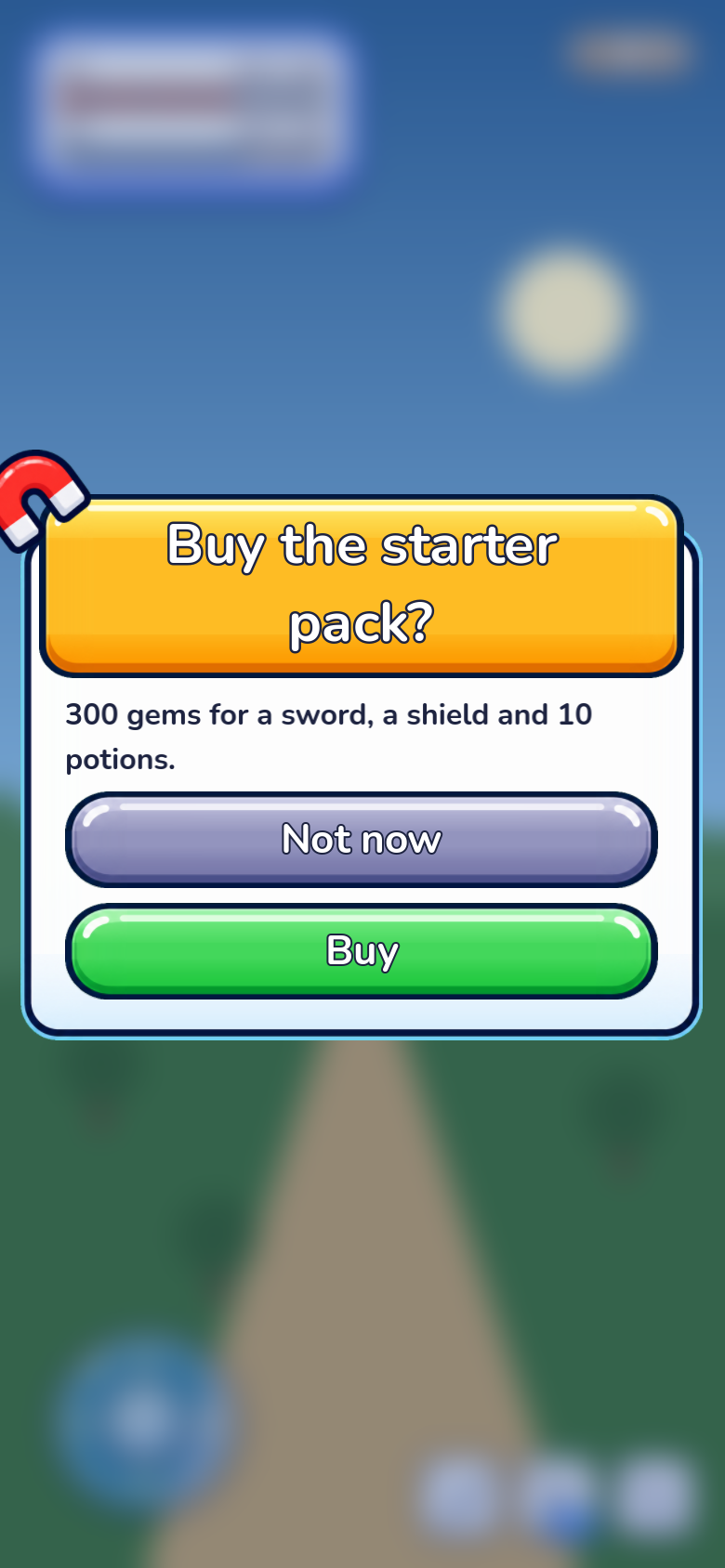
GoDialogs · arcade_light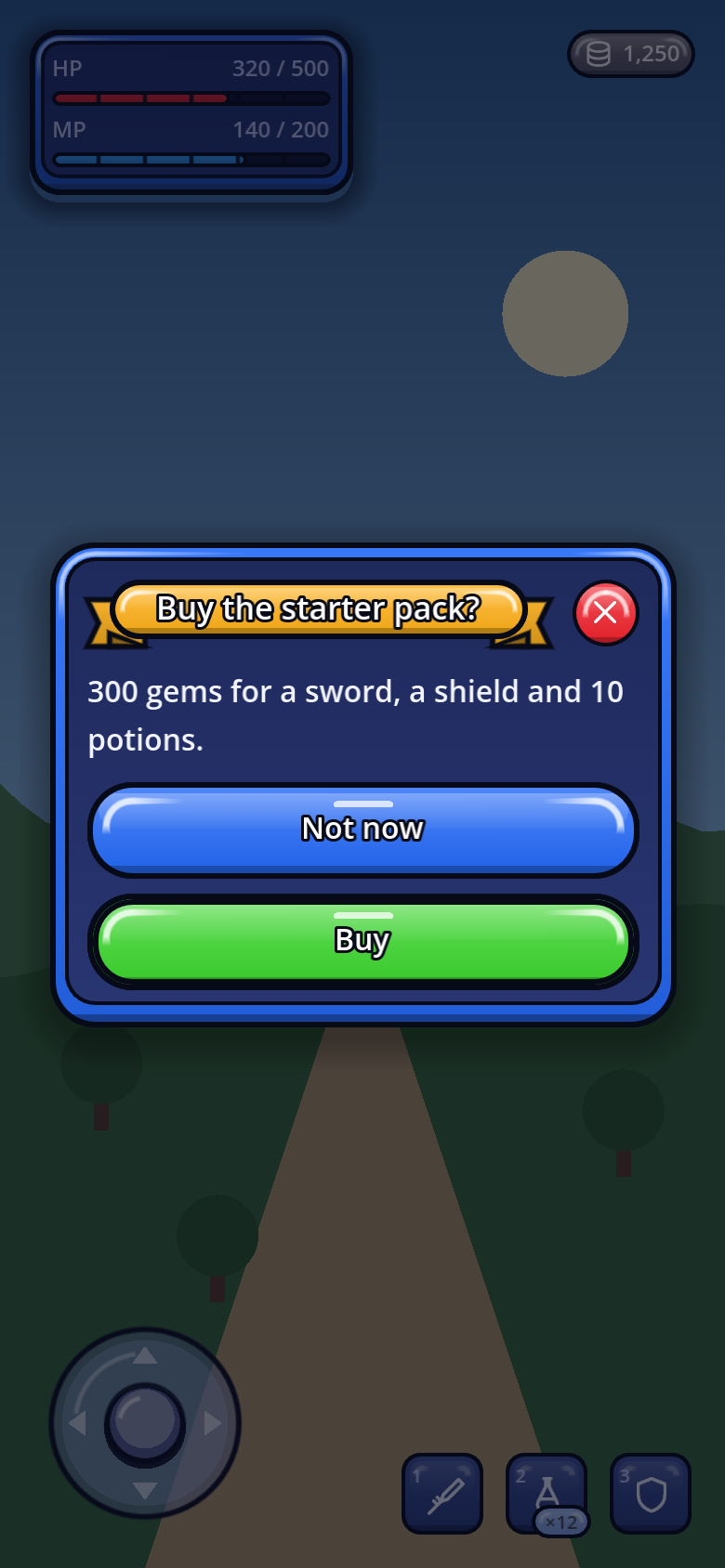
GoDialogs · arcade_darkWhat changes
| Part | In the arcade looks |
|---|---|
| Keys | Drawn by GoStyleBoxArcade: a gradient body, a white gloss round the top-left corner, a deeper lip and a navy ink outline. The primary key is green, normal keys and the chosen tab blue, danger keys coral and red, small keys and the other tabs lavender. |
| Labels | White with an ink outline on every painted key. Every paint is moved until that label reads at every height of its gradient — 4.6:1 or more, outline counted as part of the letter, as WCAG does. |
| Pressing | The lip goes, the key sinks into its place and pops back. |
| Boards | Panels, cards, HUD cards and popups are thick: a coloured frame (6dp round a window, 4 round a card or a HUD card, 3 round a menu or a notice) with its own gloss and lip, round a pale well with an ink line. Their padding grows a little to hold it, so text never touches the frame. |
| Fields and bars | Text fields and bar grooves are sunken wells; a bar's fill is a glossy painted tube in the bright fill of its colour. |
| Windows | A gold banner with a white, ink-outlined title, and a round red close key with a white cross. |
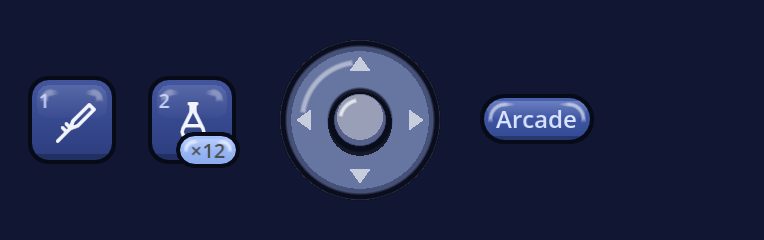
| Skin parts | GoSkinArcade: quick slots and chips are key caps, a cooling slot lights a gold rim, badges are light plates, alerts are framed in their colour, the chosen card lights a gold rim, the FAB is a gold key and the joystick a glossy pad with four arrows. |
| Opacity | Panels, cards, notices and popups are opaque; HUD cards are 94% opaque. |
Paint one key its own colour
The theme paints keys by kind. A menu whose keys each want their own colour paints them one by one — the hover face comes a little lighter, the pressed one a little deeper, and the disabled face stays dim:
menu.add_child(GoStyle.arcade_paint(GoStyle.button("Resume", _resume, GoStyle.Tone.PRIMARY), Color("#4ACB3E")))
menu.add_child(GoStyle.arcade_paint(GoStyle.button("Shop", _shop), Color("#FF8A1E")))
GoStyle.arcade_paint(stage_card, Color("#E3343D"), true) # a board's frame, and every key inside itarcade_paint() does nothing.
Make an arcade of your own
python3 addons/gohud/tools/new_theme.py cabinet --from arcade_light
# Edit themes/palettes/cabinet.json — the *_vivid colours are the paints — then:
python3 addons/gohud/tools/make_theme.py cabinet
GoUi.use_preset(&"cabinet")